# Iterable Quick Start Guide
## Iterable Project Types
Projects in Iterable use a specific field to identify each user. Each project can be set so `email` and/or `userId` can be selected as the project's unique identifier at the time of creation.
There are 3 types of projects available to identify users:
* Email-based: uses `email` as the unique identifier
* UserID-based: uses `userId` as the unique identifier
* Hybrid: Uses `email` and `userID` as unique identifiers
[Learn more about determining the best setting for your project.](https://support.iterable.com/hc/en-us/articles/9216719179796-Project-Types-and-Unique-Identifiers-)
## Destination Info
* Accepts [Page](https://documentation.freshpaint.io/developer-docs/freshpaint-sdk-reference#page), [Track](https://documentation.freshpaint.io/developer-docs/freshpaint-sdk-reference#track), and [Identify](https://documentation.freshpaint.io/developer-docs/freshpaint-sdk-reference#identify) calls
* Supports [HIPAA mode](https://documentation.freshpaint.io/hipaa-mode)
* Connection Modes:
Client-side
Server-side
Web
false
true
Mobile
false
true
Server
false
true
## Getting Started
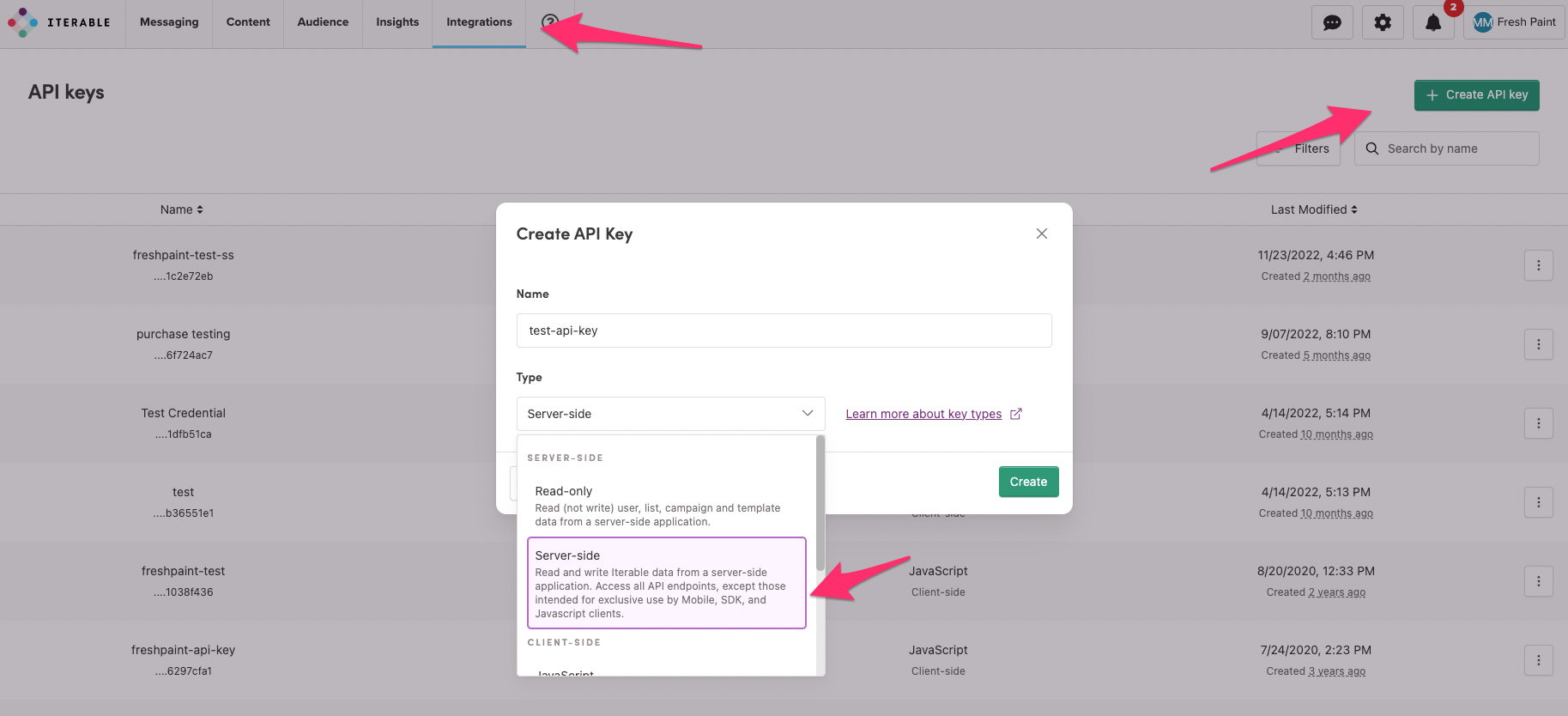
1. Navigate to **Integrations > API Keys**.
2. Click **New API Key**.
3. Give your API key a name (for example, "Freshpaint Integration") and select [Server-side](https://support.iterable.com/hc/articles/360043464871#creating-api-keys).
4. Click **Create**.
5. Copy the API key to your clipboard.
### How to set up Iterable in Freshpaint
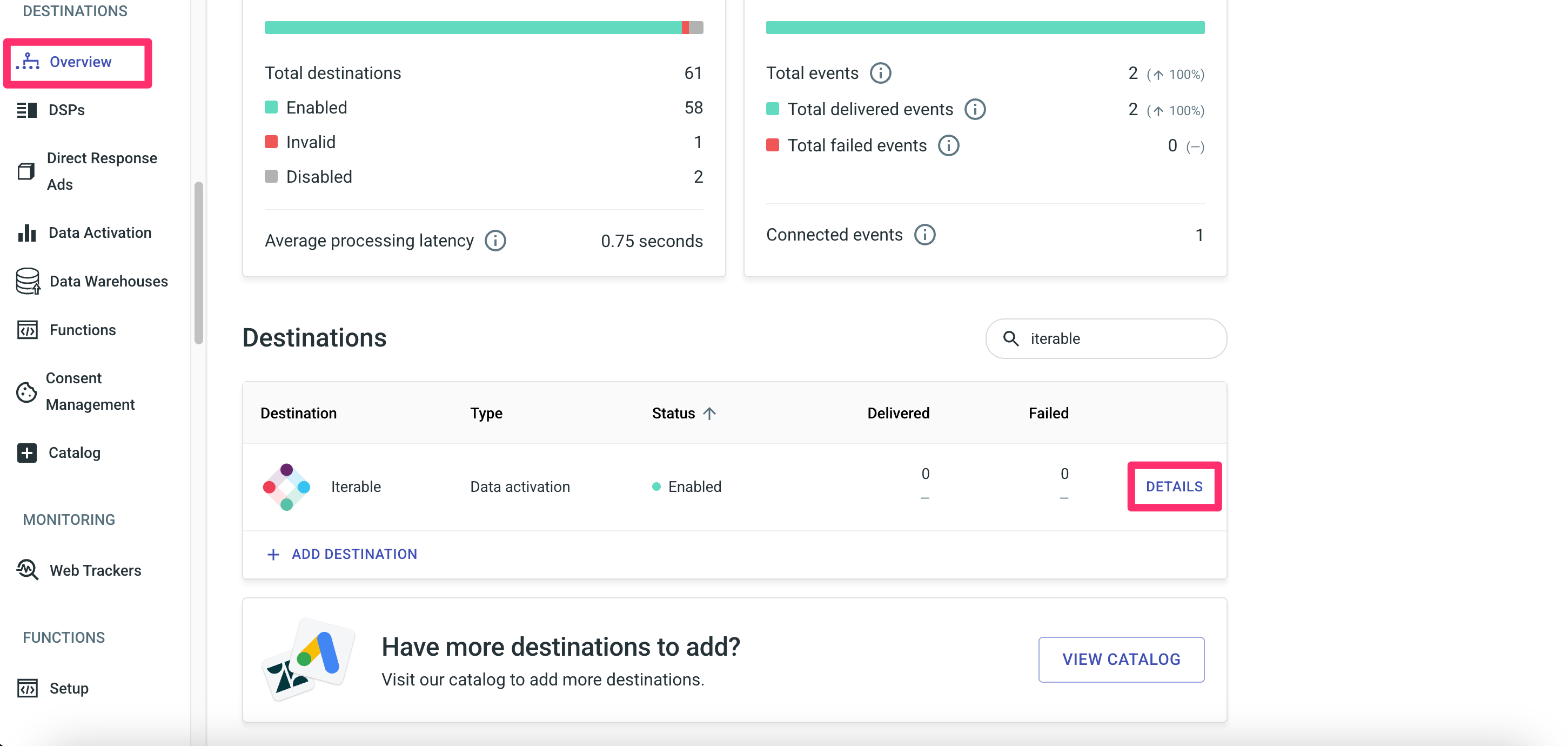
1. Navigate to **Destinations > Overview** and find Iterable in the list. Click **Details.**
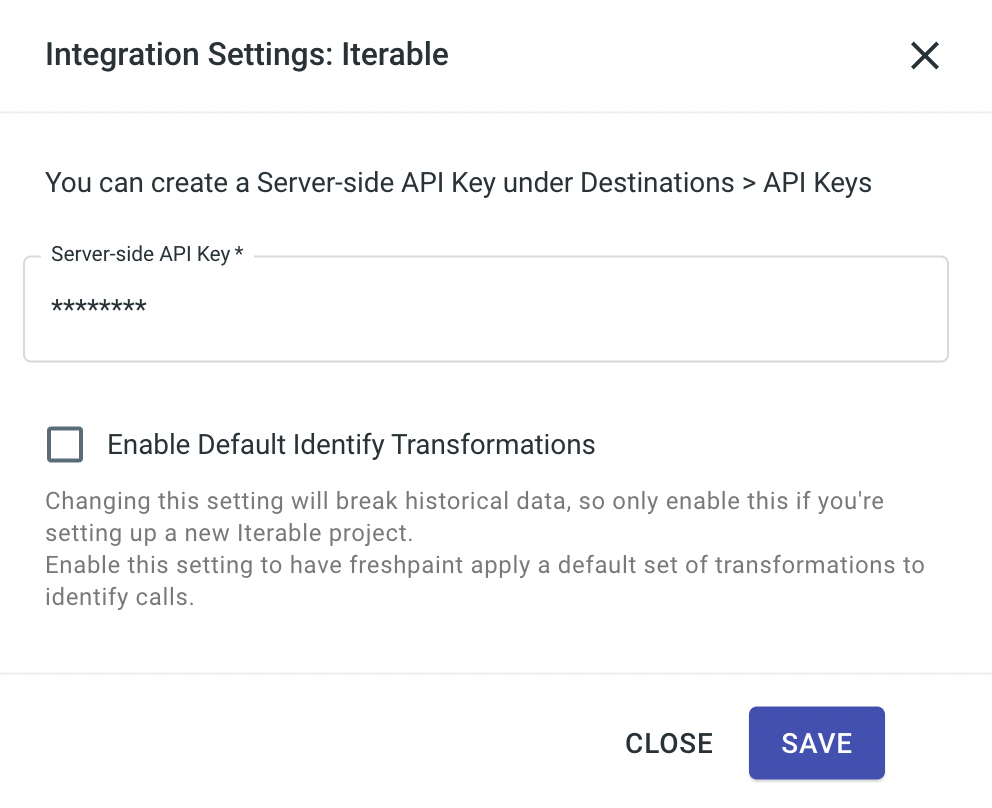
2\. Paste your Iterable server-side API key in the API Key box, and click **Save**.
3\. [Enable](https://documentation.freshpaint.io/readme/setting-up-your-destinations/enabling-and-disabling-a-destination) the destination.
## Enable events you'd like to go to Iterable
## Confirm you're seeing events as expected in Iterable
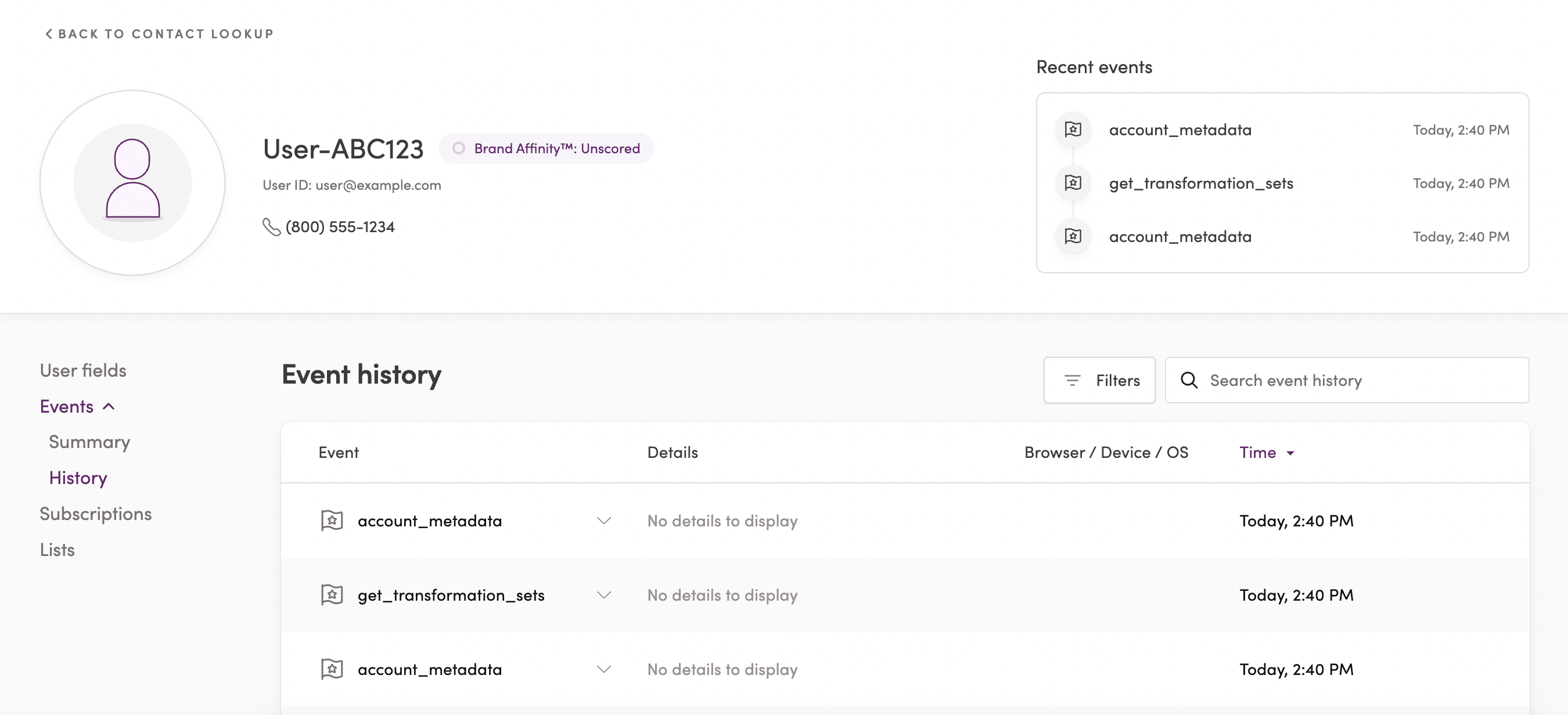
You can see events associated with each user by searching for the user profile under contact lookup:
You can also view all your events in the [events log](https://app.iterable.com/events) under "Insights":